Agent self-view
Agents see only their own evaluations through the My evaluations tab in
the QA section. The page is gated by the qa.evaluation.read.own permission
and is the only QA surface most agents need.
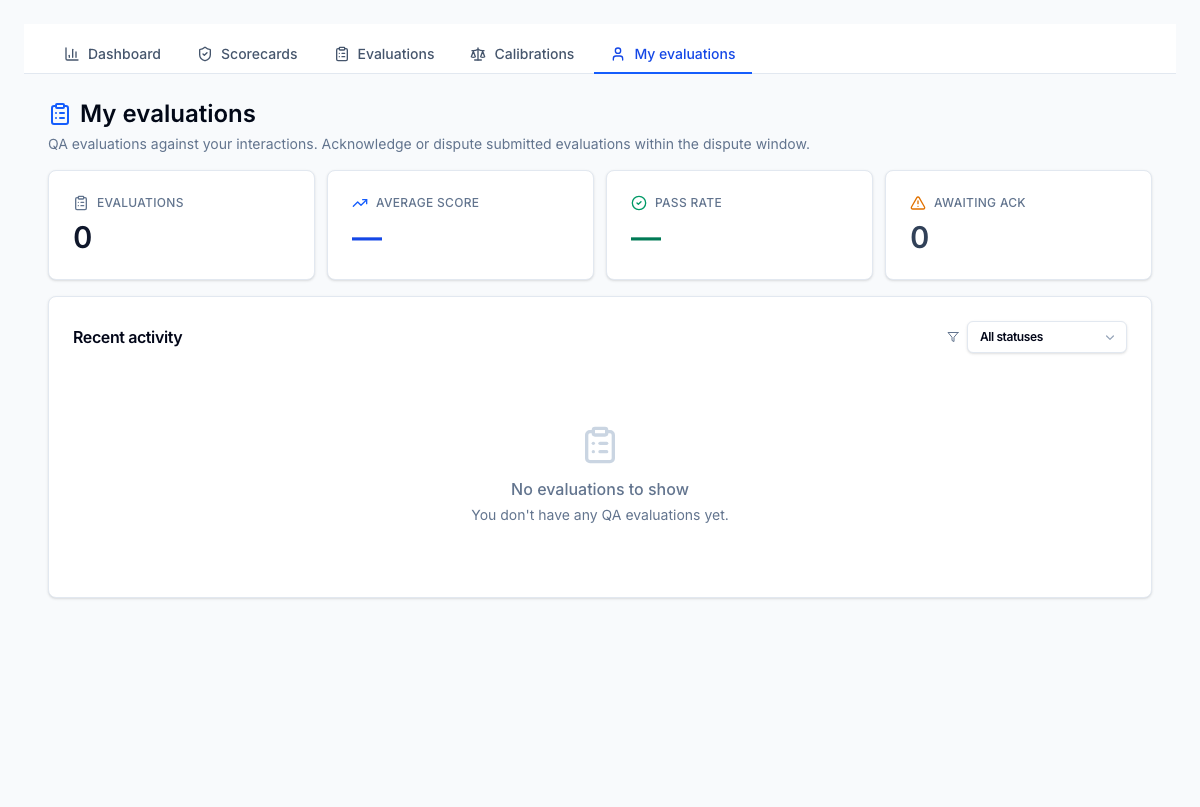
What's on the page
- KPI cards — total evaluations, average score %, pass rate %, and count of evaluations awaiting acknowledgement.
- Action needed — a focused list of submitted evaluations the agent hasn't acknowledged yet. Each row has an inline Acknowledge button so agents can clear their queue without opening every evaluation.
- Recent activity — the agent's evaluations with status filter (All, Submitted, Disputed, Resolved, Closed, Voided), interaction reference, date, score %, outcome badge, and acknowledged-at timestamp. Click a row to open the full evaluation detail.
Acknowledging vs. disputing
If the scorecard's agent response type is Acknowledge, the agent only sees an Acknowledge action — used as a confirmation that they've read their feedback.
If the scorecard's agent response type is Acknowledge & dispute, the agent also sees a Dispute action while they're still inside the dispute window. The dispute opens a sheet to enter the reason; status moves to disputed and a QA lead picks it up to resolve.
If the scorecard's agent response type is None, no action is required and the row will not appear in Action needed.
What an agent can't see
- Other agents' evaluations
- Aggregate dashboards (those are gated by
qa.report.read) - Scorecard authoring
- Calibration sessions
The QA tab strip itself still renders for agents, but tabs they cannot use will return an empty/permission-error view if they navigate there directly.
Manager-side agent profile
Managers and QA leads can open the same view scoped to a specific agent at
/qa/agents/[id]. That page adds the agent's identity card (name, employee
number, status, hire date) and a period selector (7 / 30 / 90 days / all).
It's reached by clicking through from the Agent performance
report.