Calibrations
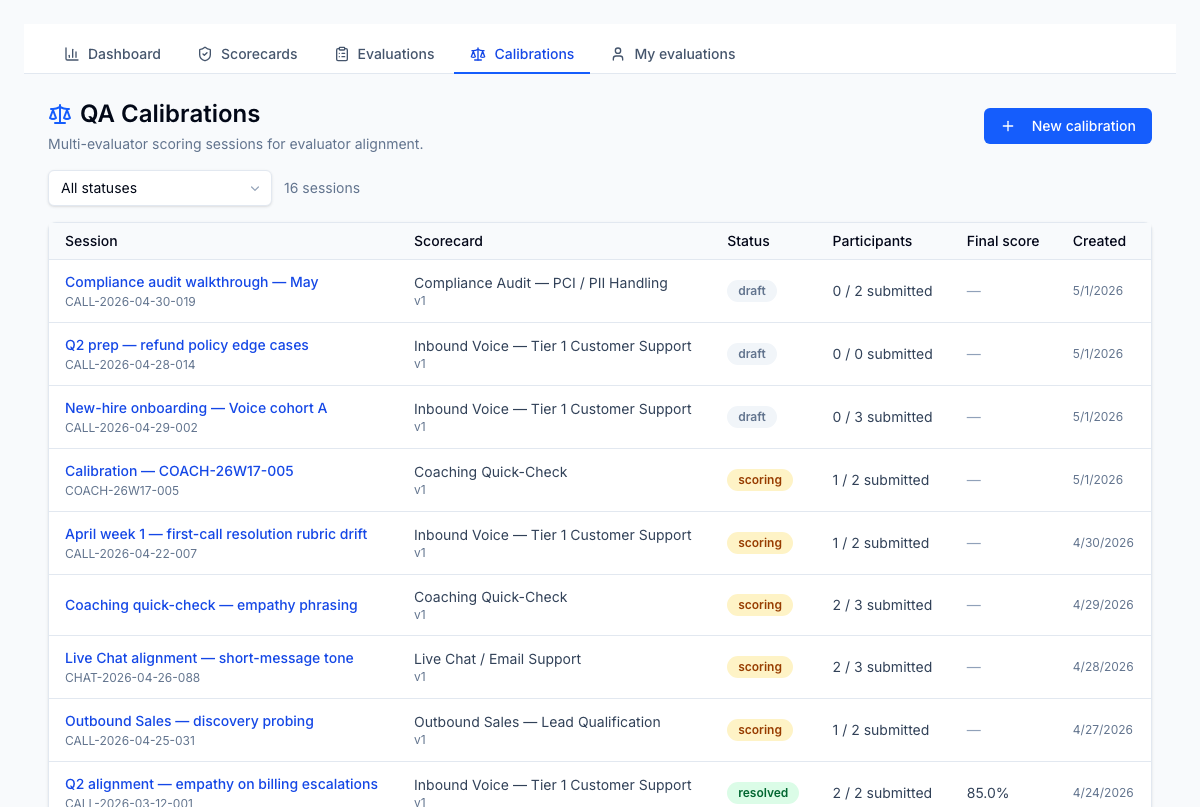
A calibration session is a controlled exercise where multiple evaluators score the same interaction independently, then meet to align on standards. The session surfaces per-question variance so the facilitator can focus the discussion on the questions that diverged most.
Open the Calibrations tab from the QA section.
When to run one
Common triggers:
- A new evaluator has joined the team and you want to confirm they score in line with the group.
- A scorecard has been updated and the rubric for some questions has changed in spirit, not just in wording.
- A specific call surfaced disagreement during a 1:1 — calibrate it as a group to set a precedent.
Creating a session
Click New calibration. The setup form asks for:
- Scorecard — required. Only published scorecards.
- Session name — short label for the calibration ("New-hire ramp Q2", "April compliance refresher").
- Variance threshold (%) — questions where participant scores diverge by more than this percentage are flagged in the review step. Default 10%.
- Interaction reference and interaction date — optional. Identifies the call/chat being calibrated against.
- Client and LOB scope — optional. Empty means tenant-wide. When set, only participants with access to that scope can be invited.
If you opened the Calibrate action from an existing evaluation, the form is pre-filled with that evaluation's scorecard, interaction reference, and date. The new session retains a link back to the source evaluation.
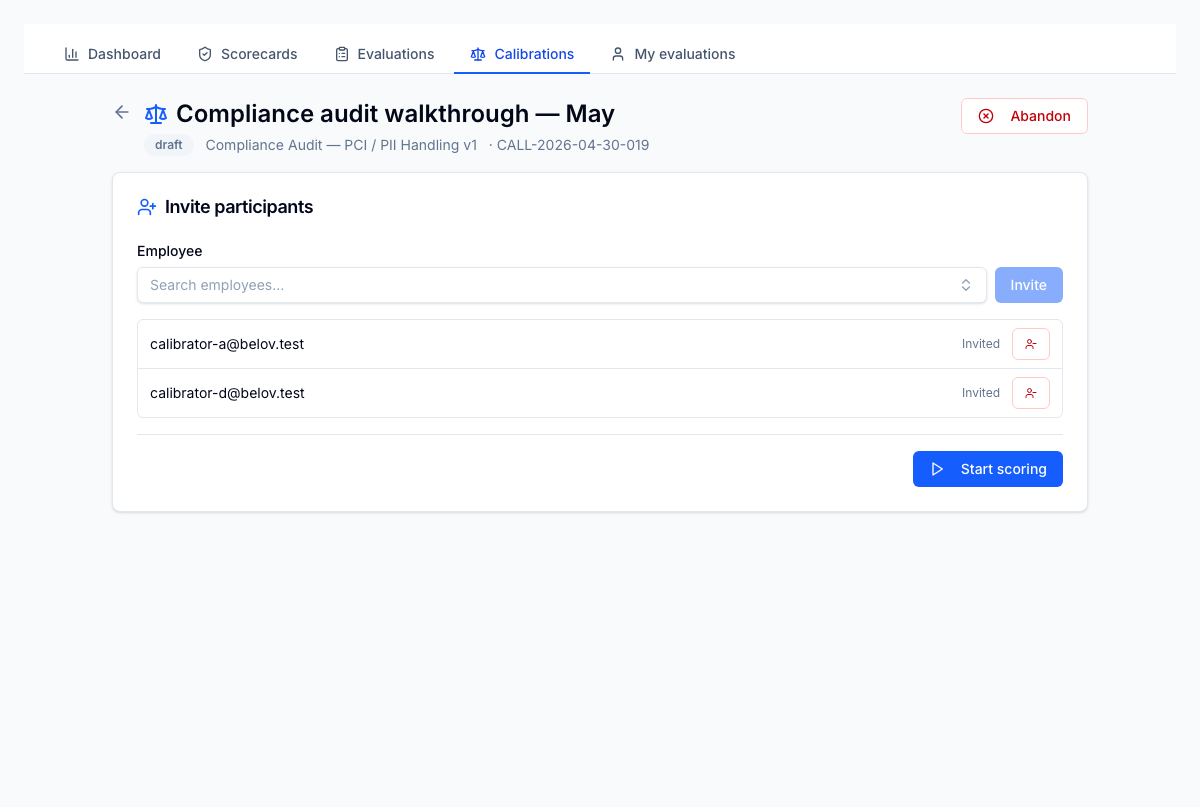
Submitting creates the session in draft status and opens the detail page to add participants.
Lifecycle
draft ──► scoring ──► review ──► resolved ──► closed
| Status | What happens |
|---|---|
| Draft | Facilitator adds participants. Need at least 2 participants to advance. |
| Scoring | Each participant scores the interaction independently. They cannot see other participants' answers. |
| Review | All participants have scored. Facilitator opens the variance view: per-question spread, who answered what, mean/median where applicable. Flagged questions are sorted to the top. |
| Resolved | Facilitator has aligned the group on the disputed questions and recorded the resolution. |
| Closed | Terminal — read-only record of the session. |
What participants see
When a session is in scoring, participants see the same scorecard a normal evaluation would show, with the question controls described in Evaluations. They cannot see the other participants' answers until the session moves to review.
If a question is N/A-eligible, participants can mark it N/A — variance is computed only across the participants who scored it.
What facilitators see in review
Once everyone has submitted their scores, the facilitator opens the review view:
- Per-question variance — the spread of scores across participants, with questions over the threshold flagged.
- Per-participant scores — every participant's answer to every question, side-by-side.
- N/A handling — questions where some participants chose N/A are noted separately so the group can decide whether N/A was the right call.
- Resolution notes — facilitator records the agreed-on standard for each flagged question.
When the facilitator marks the session resolved or closed, the session record becomes a permanent training artefact you can refer back to.
Tying calibrations back to coaching
The session record can be linked from a 1:1 or coaching note as evidence of the standard the team agreed on. Combined with the Section performance report, it lets you target the questions that consistently confuse evaluators and drag down agent scores — the highest-leverage place to invest coaching time.