Quality Assurance
The QA module lets supervisors, QA leads, and quality analysts evaluate agent interactions, calibrate scoring across the team, and track quality trends over time. Agents see their own results in a dedicated self-view.
Open it from the sidebar under Quality → QA. The QA section has five top-level tabs:
| Tab | What's there |
|---|---|
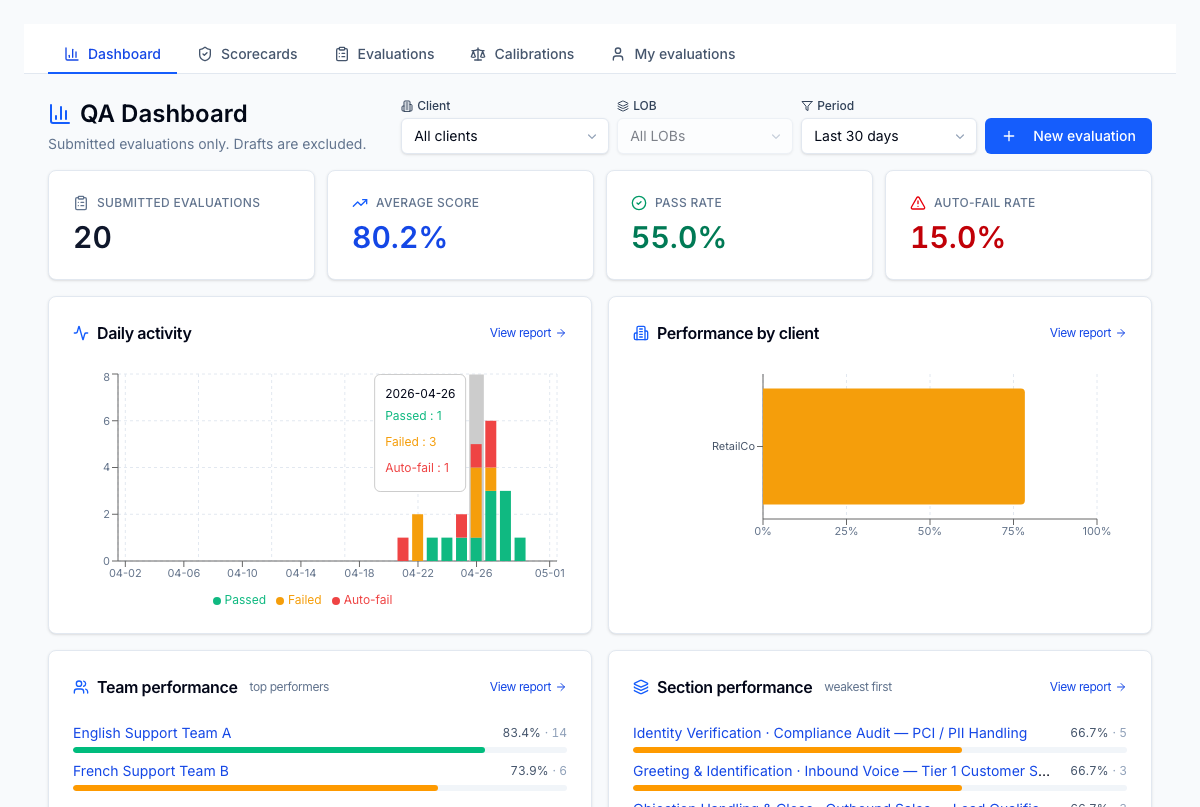
| Dashboard | At-a-glance KPIs, daily activity, top agents, recent submissions, deep links into reports |
| Scorecards | The evaluation templates — sections, questions, scoring rules, lifecycle (draft → published → archived) |
| Evaluations | The list of evaluations across the tenant, with filters by status and LOB |
| Calibrations | Group-scoring sessions used to align evaluator standards |
| My evaluations | An agent's own evaluations — review scores, acknowledge, dispute |
Roles
QA features are gated by permission strings under the qa.* namespace:
| Permission | Typical role | Lets the user… |
|---|---|---|
qa.scorecard.create / .update / .archive | QA lead | Author and lifecycle scorecards |
qa.evaluation.create | QA evaluator, supervisor | Start a new evaluation |
qa.evaluation.read | QA team, manager | See all evaluations in scope |
qa.evaluation.read.own | Agent | See only their own evaluations |
qa.evaluation.acknowledge | Agent | Acknowledge a submitted evaluation |
qa.evaluation.dispute | Agent | Dispute an evaluation within the dispute window |
qa.evaluation.resolve | QA lead | Resolve a disputed evaluation |
qa.evaluation.void | QA lead | Void an evaluation (terminal state) |
qa.calibration.manage | QA lead | Create and run calibration sessions |
qa.calibration.participate | QA team | Score in a calibration session |
qa.report.read | QA team, manager | Open the QA reports |
The QA tabs render for everyone, but actions and data scope are enforced
server-side — agents who reach /qa/evaluations will see only what they're
permitted to see.
What to read next
- Scorecards — design the evaluation template
- Evaluations — full lifecycle from draft to acknowledgement
- Calibrations — align evaluators on scoring standards
- Dashboard & reports — read the analytics
- Agent self-view — what agents see about their own QA